Turn a drum track into MIDI.
BandTrigger listens to recorded drums and sends a MIDI note every time a kick, snare or hat hits. Send those notes to a Drum Rack or sampler to replace, layer or reprogram the sounds.
- Runs on
- macOS 11 or later, Apple Silicon and Intel
- Formats
- VST3, Audio Unit, standalone app
- Price
- Free, with the full source code on GitHub
- Kick
- Snare
- Closed hat
- Open hat
- Low tom
- Mid tom
- High tom
- Crash
How it works
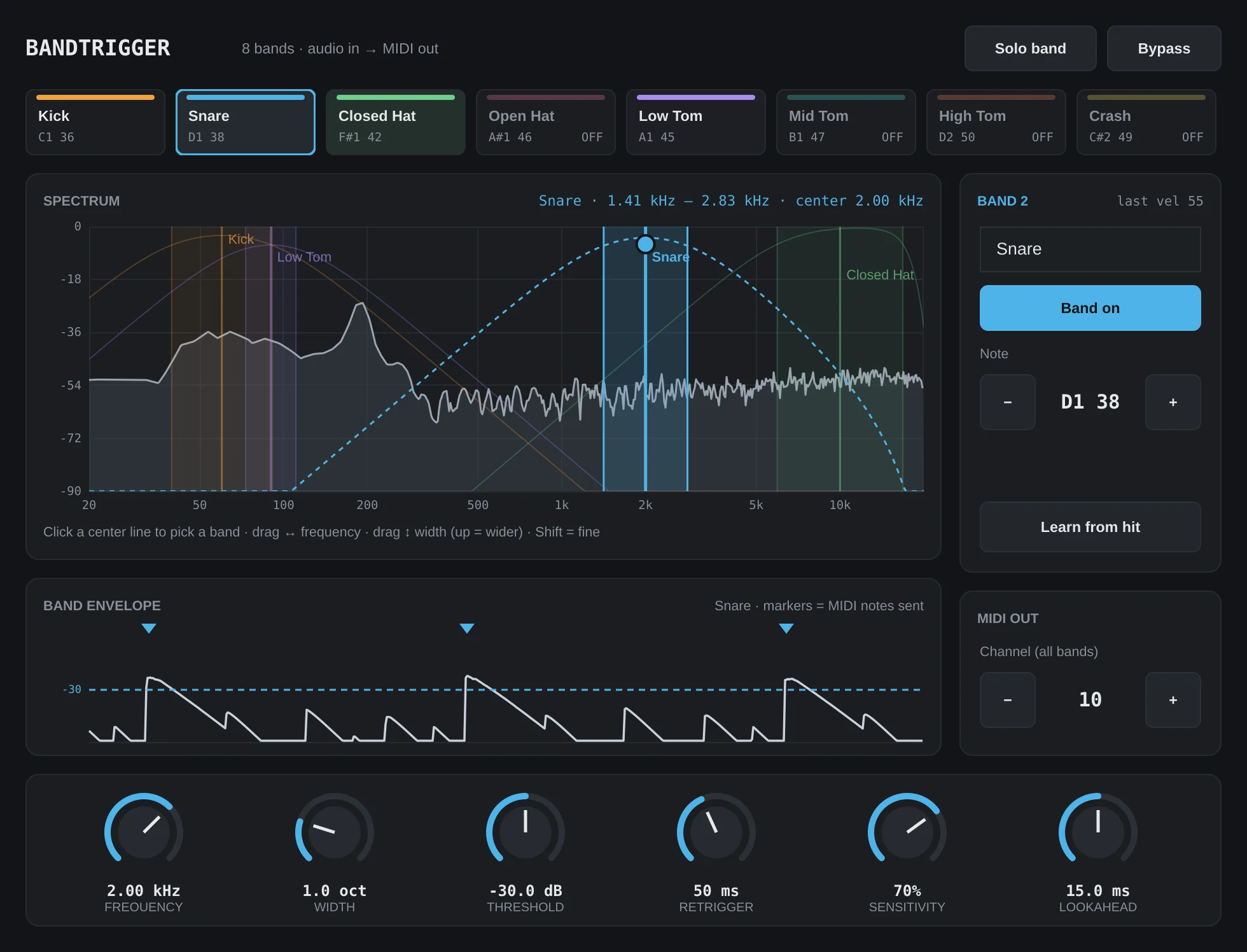
Each drum lives in its own part of the frequency range. BandTrigger gives every drum a band, watches that band for hits, and plays a note when one comes through. One instance handles up to eight drums.
Give each drum its own band
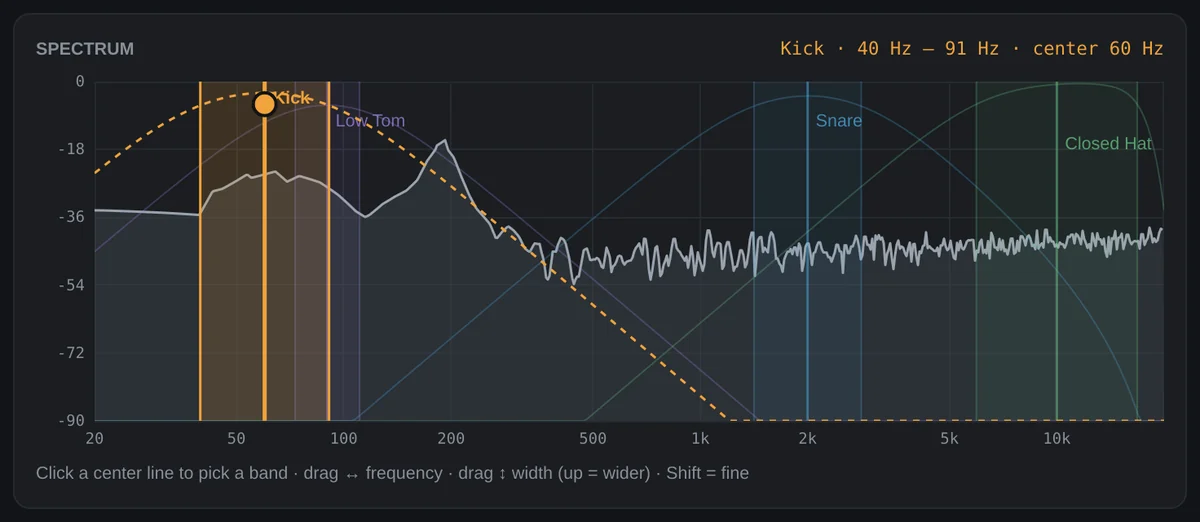
The spectrum shows your drums as they play. Click a band's center line to pick it, then drag left or right to move it and up or down to make it wider or narrower. Hold Shift for fine moves.
Not sure where a drum sits? Select a band, press Learn from hit, and play the part. The band jumps to the loudest frequency of the next hit.
Each band plays its own note
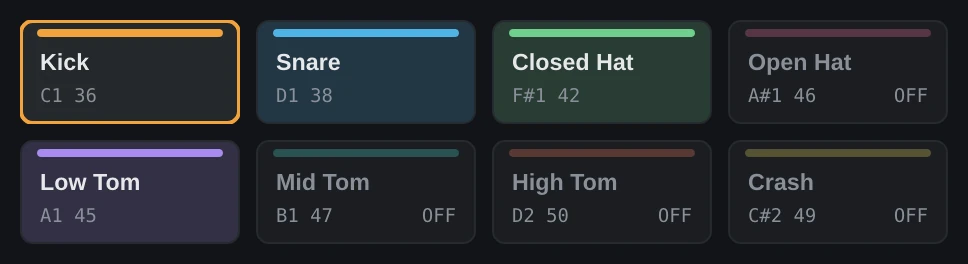
Bands start on the notes a Drum Rack uses for each drum, so most kits play the right sounds straight away. Change any of them to match your sampler. A band's button flashes whenever it fires.
| Band | Starts on | Note |
|---|---|---|
| Kick | on | C1 36 |
| Snare | on | D1 38 |
| Closed hat | on | F#1 42 |
| Open hat | off | A#1 46 |
| Low tom | off | A1 45 |
| Mid tom | off | B1 47 |
| High tom | off | D2 50 |
| Crash | off | C#2 49 |
See exactly what triggers
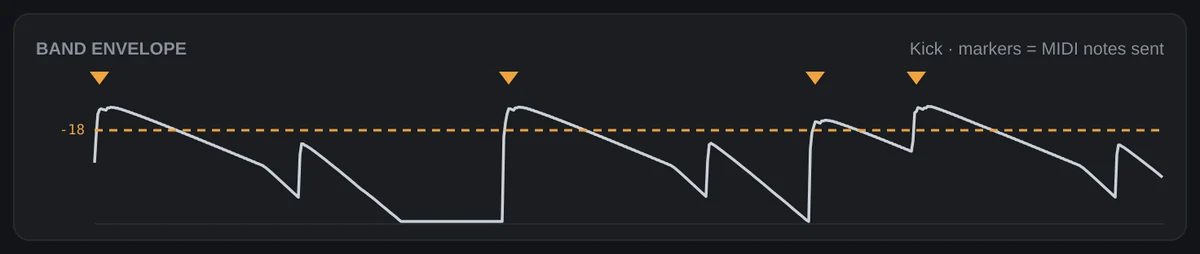
The envelope view traces the selected band. Set the threshold so every real hit crosses the dashed line and spill from other drums stays under it. Each triangle marks a note that was sent.
Notes land on the beat. BandTrigger looks a few milliseconds ahead and tells your DAW to compensate, so each note lines up with its hit instead of trailing it.
Install on a Mac
About two minutes. You only need to approve the installer once.
-
Open it, and approve it once
Double-click the file. The first time, macOS says it couldn't verify the installer is free of malware, because BandTrigger isn't notarized by Apple yet. Click Done.
Then open System Settings, go to Privacy & Security, scroll down and click Open Anyway next to the BandTrigger message. Confirm with your password or Touch ID.
-
Run the installer
Click through the steps. It installs the VST3 plug-ins and a standalone app. To add the optional Audio Unit versions, click Customize before installing.
-
Rescan plug-ins in your DAW
In Ableton Live, open Settings, then Plug-Ins, turn on Use VST3 Plug-In System Folders and click Rescan. BandTrigger appears under Plug-Ins.
Removing it
Delete the two BandTrigger files from /Library/Audio/Plug-Ins/VST3 and the BandTrigger folder in Applications. If you added the Audio Units, they're in /Library/Audio/Plug-Ins/Components.
Set it up in Ableton Live
BandTrigger sits on your drum track. A second track with a Drum Rack takes its notes.
-
Put BandTrigger on your drum track
Drag it from Plug-Ins onto the audio track that holds your drums. The audio passes through unchanged.
-
Point a Drum Rack at it
Create a MIDI track with a Drum Rack. Set its MIDI From to the drum track, choose BandTrigger in the menu below it, and set Monitor to In.
-
Dial in each drum
Pick a band, drag it onto its drum, and set the threshold. Switch on more bands for toms, open hats or cymbals.
One BandTrigger per drum track
A Live MIDI track can listen to only one plug-in, so all eight bands live inside one BandTrigger. If soft hits seem to go missing, lower Sensitivity: they may be arriving at a low velocity.
Reaper
Notes flow to the next plug-in in the same FX chain. Add a sampler after BandTrigger, or send the track's MIDI to another track.
Bitwig
Route BandTrigger's note output to an instrument track with a Note Receiver or the track's input menu.
Cubase, Studio One, FL Studio
Choose BandTrigger as the MIDI input of an instrument track.
Logic Pro
Not supported yet. Logic's audio effects can't send MIDI.
The source code is on GitHub
Everything is there: the detector, the interface, and the build that makes the Mac installer. It's written in C++ with the JUCE framework.
On Windows, you can build the VST3 from the source; the README has the steps. Bug reports and ideas are welcome as GitHub issues.
- Repository
- github.com/cfort6/BandTrigger
- All versions
- Releases page
- Report a problem
- GitHub issues